The Shell I Actually Understand
A history of Zsh, why I left bash, and how my .zshrc became what it is
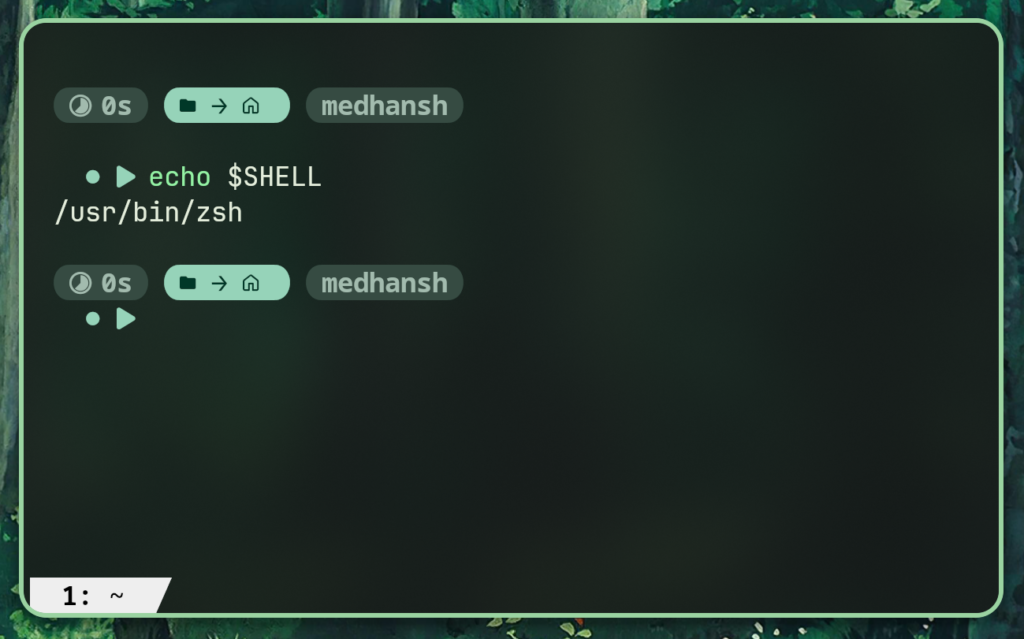
I was always the kid who wanted to experience what wasn’t being experienced. And the terminal always felt cool — movies, TV shows, that specific aesthetic of green text on black. The internet had done a good job of making it look like something only serious people used.
So I opened it. Started watching YouTube videos — “commands you should know,” “cool terminal tricks,” the telnet Star Wars thing. Then came the blog posts, the post-installation guides, and eventually the setups. Someone had a terminal that looked nothing like mine. I wanted to know how they did it.
My first real attempt was Chris Titus Tech’s dotfiles. I couldn’t get them running initially. Read some Reddit threads, someone pointed me toward documentation, I read it, some abstractions disappeared, and I finally got it working. Then a new problem: I couldn’t customize it further. It felt exactly like what it was — someone else’s configuration I had gotten running on my machine. I had moldable clay, and it had dried into a brick. Tough to reshape around my actual needs.
So I kept reading. And the more I read, the more the syntax stopped looking like noise and started looking like decisions someone made for a reason. That gradient — from confusion to clarity through documentation — is what this whole post is about.
A brief history of the shell
To understand Zsh, you need to understand where it came from. And that means starting somewhere uncomfortable: 1969.
Ken Thompson at Bell Labs wrote the first Unix shell — simply called sh, the Thompson shell. It was minimal by design: a way to chain programs together, pipe output, redirect files. The idea was that the shell itself shouldn’t do much. Programs do things. The shell connects them.
By 1979, Stephen Bourne rewrote it as the Bourne shell — still sh, but with proper scripting constructs: variables, loops, conditionals. This became the foundation. Everything since is either a descendant or a reaction.
The reaction came in 1978, before Bourne even finished. Bill Joy — who would later co-found Sun Microsystems — was a graduate student at Berkeley and wrote the C shell, csh. His complaint was simple: the Bourne shell scripted like it was written for computers, not people. The C shell added history, aliases, job control. It looked more like C. It felt more interactive.
But csh had a fundamental design flaw that became legendary in Unix circles: it treated scripting and interactive use as the same problem, when they’re not. Error handling was broken in subtle ways. Variables behaved differently in scripts than at the prompt. In 1995, Tom Christiansen wrote a document called “Csh Programming Considered Harmful” — not a paper, just a rant — that circulated for decades and is still accurate.
Meanwhile, in 1989, Brian Fox wrote bash for the GNU Project. The name is a pun: Bourne-Again SHell. It took Bourne’s scripting fidelity, added csh’s interactive features — history, completion, job control — and became the default shell on almost every Linux system. bash is what you get if you never change anything.
Zsh arrived in 1990. Paul Falstad was a student at Princeton. He wanted more than bash offered — better tab completion, shared history across sessions, spelling correction, glob expansion that actually worked the way you’d expect. He called it Zsh, after Zhong Shao, a Yale professor whose account Falstad had seen used as an example at Princeton.
Falstad released the source code on comp.sources.misc and left for a career that had nothing to do with shells. The project was picked up by others and has been actively maintained ever since. In 2019, Apple switched the default shell on macOS from bash to Zsh — not for technical reasons alone, but because Apple could no longer ship the newer GPL-licensed bash without more licensing complexity than they wanted. Zsh uses the MIT license. It was available.
The irony is that bash’s license change — from GPLv2 to GPLv3 in 2007 — is what pushed Zsh into the mainstream. Not its features. The legal situation.
Why I switched to Zsh
The real reason is r/unixporn.
That’s where I first saw the setups — terminals with fzf history search, fish-style autosuggestions ghosting ahead of the cursor, syntax highlighting turning commands red before you even ran them. I wanted that. The path to that was Zsh and Oh My Zsh. I wasn’t thinking about spelling correction or extended globbing. I was thinking about aesthetics.
Fish was a consideration for about ten minutes. Fish ships with most of these features built in — autosuggestions, syntax highlighting, a sane completion system — and you don’t configure any of it. You just get it. The problem was that the community configurations I wanted to understand were all Zsh. And somewhere around month two, the muscle memory had settled enough that switching felt like starting over for no gain. Zsh won by accumulation, not by being objectively better for my use case.
Five or six months in, I started actually writing bash scripts. And here’s the part that doesn’t get said enough: you’re using bash regardless. It might not be your interactive shell, but it’s everywhere in your environment — system scripts, CI pipelines, anything that starts with #!/bin/bash. You need to read and write bash whether your terminal runs Zsh or not.
My assumption when I switched was that Zsh was essentially a wrapper. The same mental model as VS Code being an Electron wrapper, or Brave being a Chromium wrapper — same underlying thing, different surface. So I expected the syntax to be the same, the commands to be the same. Then help stopped working the way I expected. Old bashrc syntax that I’d copied across wouldn’t run. I spent time I hadn’t budgeted trying to understand why.
The answer came from an article by yasp(you-suck-at-programing) that explained it clearly: help isn’t a binary sitting in /bin or /usr/local/bin. It’s a bash builtin — a command that lives inside the bash process itself, not on the filesystem. Zsh has its own builtins. The two shells share a lot, but they are not wrappers around the same core. Once I understood that, the friction made sense. It was all a fun after that.
Then there was the old bashrc port. Some of it translated cleanly. Some of it didn’t — small syntax differences that compounded into debugging sessions. I could have spent weeks learning every edge case of the Zsh/bash divide. Instead I understood the shape of the problem and used Claude and ChatGPT to handle the mechanical translation. I’m not going to pretend otherwise. I can explain what the port did and walk someone through it, but I didn’t hand-write every line. That’s not the same as not understanding it.
What actually became reasons to stay, once I started reading documentation rather than skimming it:
Completion system. Bash’s tab completion is built on readline. It works. Zsh’s completion system — compsys — is a separate, programmable subsystem with its own language, its own context awareness, its own way of delegating to completion functions per-command. When you tab-complete git in Zsh and it knows about subcommands, shows their descriptions, and filters as you type — that’s not magic. That’s compsys with a git completion function installed.
Globbing. Bash globs are fine. Zsh extended globbing is different in kind. **/*.py to recursively find all Python files. ^*.md to exclude markdown files. *(m-7) to match files modified in the last 7 days. These are not aliases or functions — they’re native glob qualifiers built into the shell’s expansion layer.
History handling. HIST_IGNORE_DUPS, HIST_IGNORE_SPACE, SHARE_HISTORY, HIST_VERIFY. Zsh’s history options are more granular and more reliable across simultaneous terminal sessions than bash’s equivalents. setopt HIST_EXPIRE_DUPS_FIRST doesn’t have a clean bash parallel.
Associative arrays. Bash 4 added them. Zsh has had them from the beginning, with cleaner syntax. Small distinction until you’re writing non-trivial shell functions.
None of this is why I switched. But it’s why I stopped thinking about switching back.
The monolith problem
My first .zshrc was about 40 lines. Then it was 100. Then I added fzf configuration, then zoxide, then some git functions, then aliases for yt-dlp, then Starship initialization, then machine-specific paths for the Acer Predator hardware controller.
At some point it crossed 300 lines and I couldn’t find anything.
The experience of navigating it was exactly as bad as it sounds. VS Code open, Ctrl+F for something, three matches in different sections, each time having to stop and ask: is this the right place? Is changing this going to break something else? Debugging became harder because you couldn’t tell which section was responsible for what. New additions went to the bottom because that was easiest, which made the problem worse.
I was too scared to experiment on my own machine — I had already broken it more times than I wanted to count. So I tried the restructure on a friend’s Mac first. It worked. Small debugging session, nothing catastrophic. Then I brought it back to my own setup.
The inspiration for the structure came from somewhere unexpected: Hyprland configs on r/unixporn. I wasn’t using Hyprland yet — I was still on KDE Plasma at the time — but the pattern in those setups was consistent. Split configuration into files by concern, source them in a specific order, and the directory itself becomes the documentation. You don’t need to open anything to understand the structure.
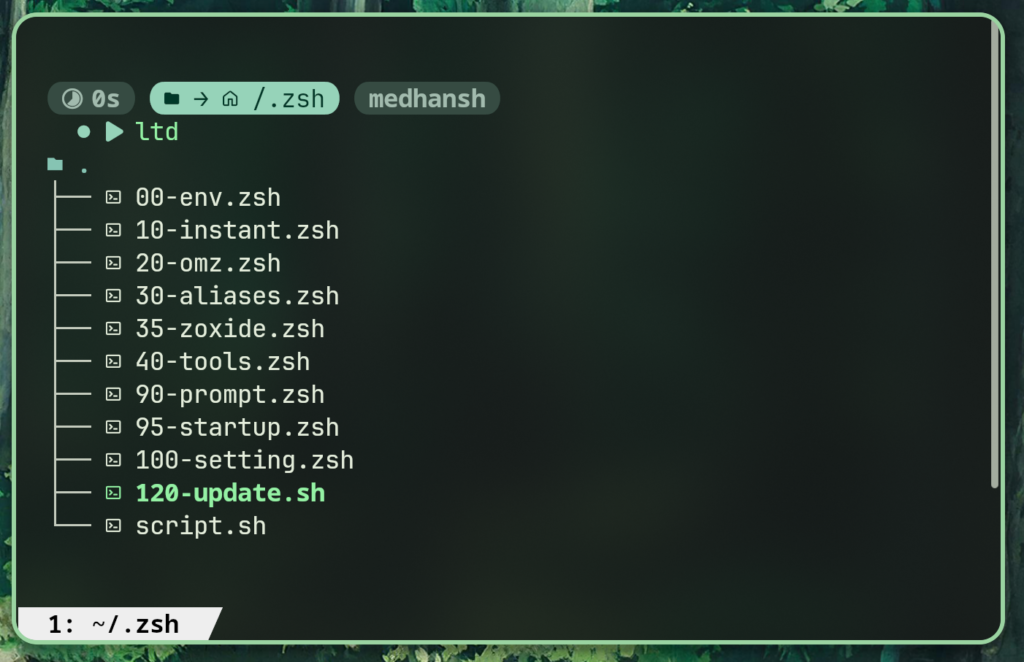
I applied the same idea to Zsh. The numbering system — 00-env.zsh, 10-instant.zsh, 20-omz.zsh, and so on — isn’t arbitrary. It’s a load-order declaration written into the filename. 00 runs first because the environment has to exist before anything else can use it. 99 runs last because local overrides have to win against everything. The ordering is visible without opening a file.
Adding a new module means creating a file with the right number and dropping it in. There’s no configuration file for the configuration. The directory is the configuration.
I later post-rationalized this as trying to escape “monolithic bloat.” The actual reason was simpler: I kept losing things.
What’s actually in the modules
All of these files were written by hand. That’s not a flex — it’s the method. More practice, better a man you become. Reading documentation and then writing the thing yourself is how syntax stops feeling foreign. It’s also how you catch the parts that don’t behave the way the documentation implies.
00-env.zsh — environment before everything else
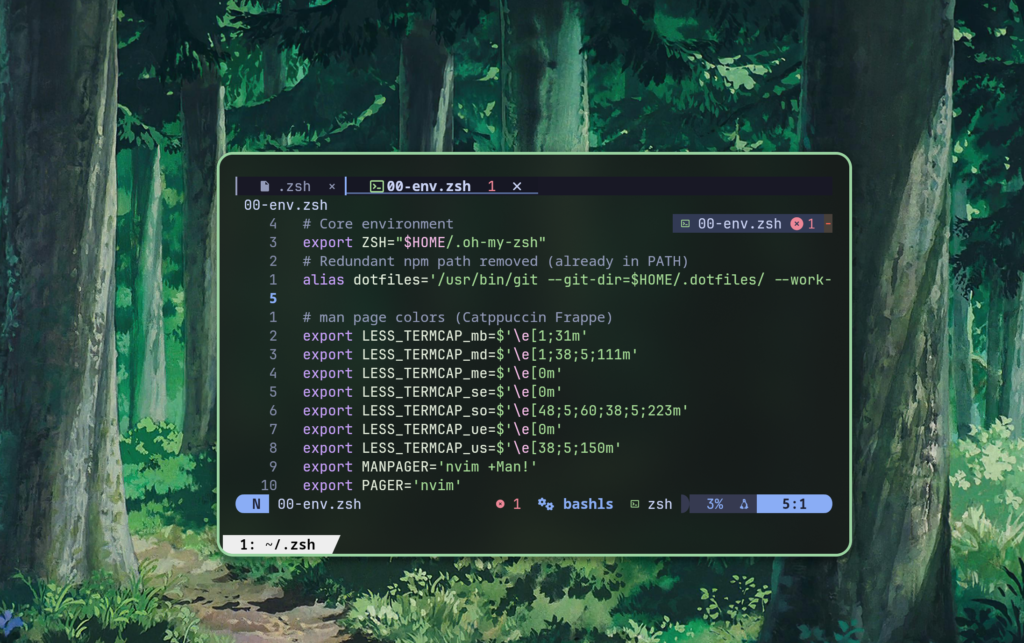
This runs first because everything else depends on it. $PATH construction lives here. fzf preview commands live here. $EDITOR, $MANPAGER, $FZF_DEFAULT_COMMAND.
The reason fzf configuration lives here rather than in the tools module is sequencing. If fzf preview commands reference bat, bat needs to be on $PATH before the fzf variables are set. 00-env.zsh controls the environment; everything later reads from it.
10-instant.zsh — the Powerlevel10k trick
I started with Powerlevel10k as my prompt. The instant prompt feature it ships with is the reason this module exists as a separate file at all.
The idea: Zsh startup involves sourcing files sequentially, but Powerlevel10k can display a prompt before that sourcing is finished. It renders a partial prompt using cached state from the previous session and silently replaces it once initialization completes. The user sees a prompt immediately. The initialization still takes the same amount of time — it just happens invisible.
The implementation is a checkpoint that runs before the main sourcing loop: if Zsh detects its output is going to a terminal, it forks the prompt rendering early. By the time you’ve typed the first character of your next command, everything is initialized.

I switched to Starship eventually. The main pull was configuration format — Starship lives in ~/.config/starship.toml, a single structured file where every module is a section with well-documented options. Powerlevel10k configures through a wizard that writes a long generated file. Starship felt more like code and less like output. The other thing was context detection: Starship has separate, composable modules for different environments. It works with uv — the Rust-written Python package and project manager — which is what I’m using now instead of pip. Fast, explicit, no surprises about which environment is active.
The 10-instant.zsh module is structural inheritance at this point — a record of where instant prompt would slot in if I went back, and a clear separation between prompt initialization and everything else.
20-omz.zsh — Oh My Zsh
Oh My Zsh is a framework. Its job is managing plugins and themes on top of Zsh. When you source it, it reads $ZSH_CUSTOM, finds the plugin directories you’ve listed in $plugins, sources each plugin’s main file, and handles updates in the background.
What it is not: magic. Every plugin is just shell code that runs in your session. Oh My Zsh doesn’t hook into Zsh at a lower level than you could yourself. It’s just organized, maintained, and installed in a consistent location.
The three plugins I actually care about:
zsh-autosuggestions — Watches your history and the current input, and renders a completion in a muted color extending from your cursor. You hit the right arrow and the rest of the command fills in. This is the fish shell feature that made everyone want fish-style suggestions everywhere.
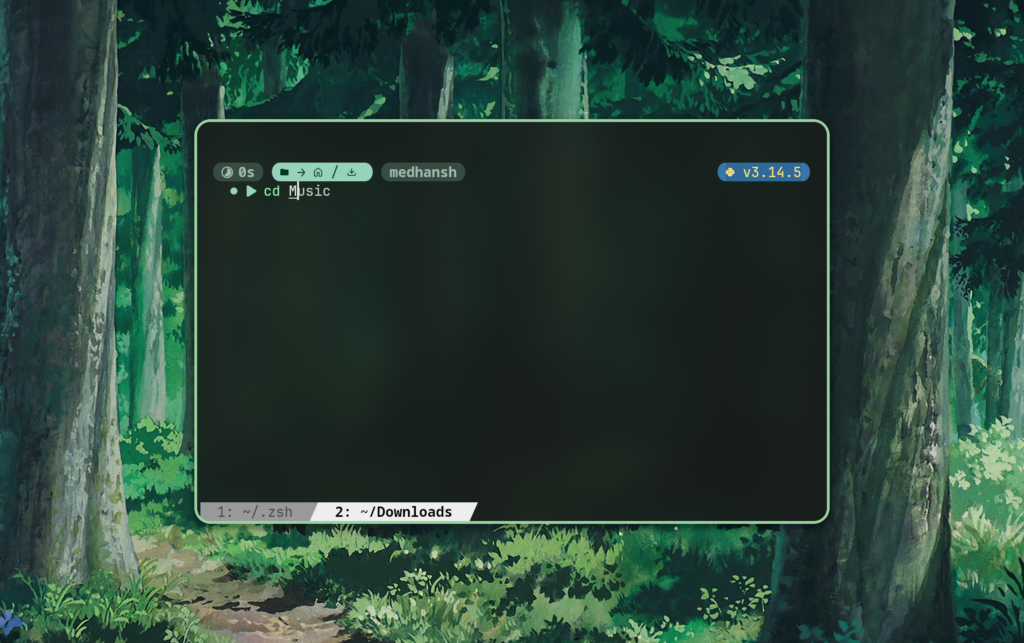
Under the hood, zsh-autosuggestions hooks into Zsh’s zle — the Zsh Line Editor. Every time the buffer changes, it runs a lookup function (defaulting to history strategy, optionally completion strategy) and sets a special Zsh parameter that controls the greyed-out suffix. It’s not rendering two prompts. It’s manipulating the same line buffer and letting Zsh’s display layer handle the color distinction.
zsh-syntax-highlighting — Colors your command as you type it. Commands that exist are green. Commands that don’t exist are red. String arguments are yellow. This is the feature that stops you from running a mistyped command because you see it’s wrong before hitting Enter.
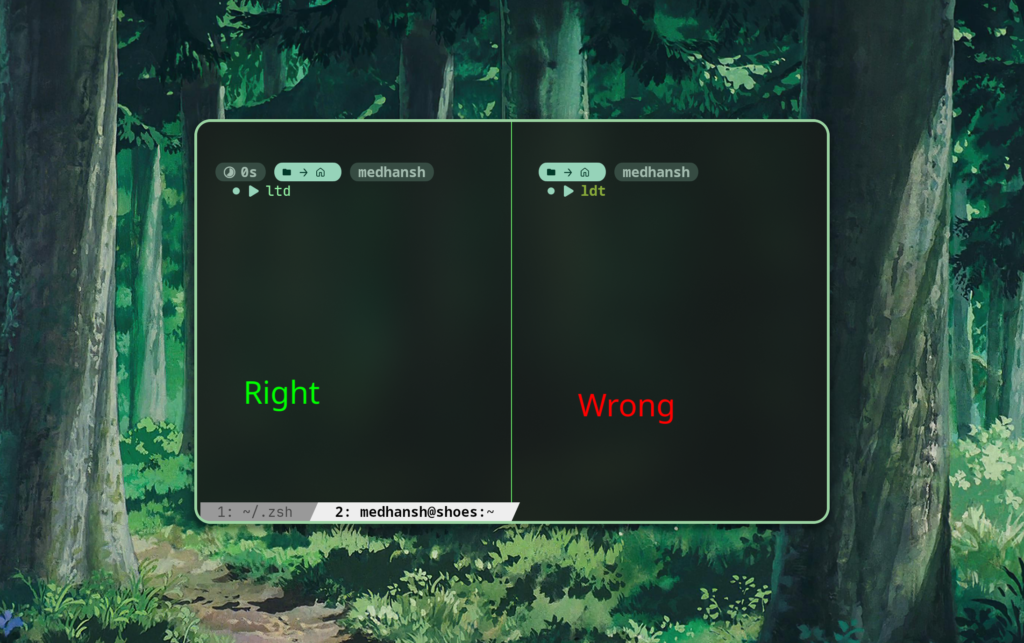
The implementation is also zle-based. The plugin hooks into zle-line-pre-redraw and applies highlighting regions to the buffer using Zsh’s region_highlight array. Each entry is a tuple: start position, end position, color specification. The terminal sees standard ANSI escape codes applied to substrings of the line. The plugin is doing constant lexing — re-parsing the command buffer on every keystroke to determine what tokens are commands, what are arguments, what are string literals, what are syntax errors.
fzf-tab — Replaces Zsh’s default tab completion menu with fzf. fzf itself is a fuzzy finder that works on any list of text, fast enough that you barely notice it running. I’ve pushed it into most of my workflows — file search, history, package installation. When you hit Tab with fzf-tab active, instead of cycling through completions linearly, you get an interactive fuzzy search over all candidates. The candidates are still generated by compsys — fzf-tab just intercepts the display layer and hands the list to fzf instead.
The interception happens via compadd — the builtin Zsh function that adds completion candidates to the list. fzf-tab wraps compadd with a function of the same name, captures the candidates, passes them to an fzf process, and returns the user’s selection back into the completion system as if it had come from the normal menu. The completion logic doesn’t know anything different happened.
30-aliases.zsh — the replacements
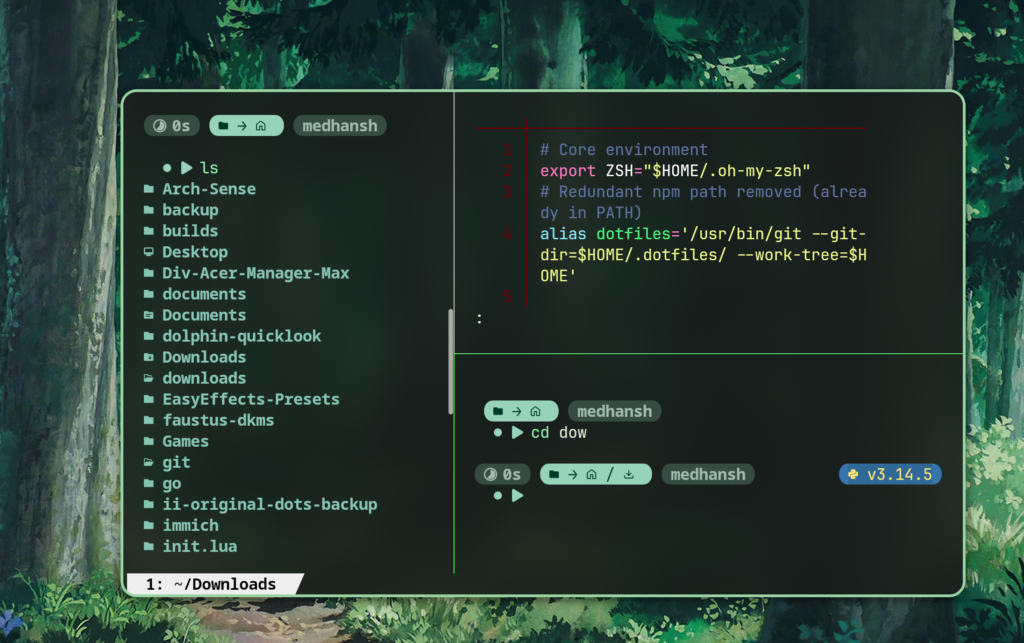
Most of my aliases are direct replacements for standard tools:
ls→ezawith color, icons, and git status indicatorscat→batwith syntax highlighting and line numberscd→zoxide
These aren’t cosmetic. eza --git shows modification status on every file in a listing without running a separate git status. bat paginates intelligently — it detects terminal size and only pipes through the pager when output is longer than the screen. bat --plain is cat when you need cat.
The yt-dlp aliases live here too — download shortcuts I use daily. And conditionally, the Acer Predator aliases that invoke 100-setting.zsh only when the linuwu_sense kernel module is present. If the module isn’t loaded — different machine, different hardware, a VM — the alias doesn’t get defined and no errors appear.
That conditional is worth understanding:
if [[ -d /sys/module/linuwu_sense ]]; then
    source "$HOME/.zsh/100-setting.zsh"
fi/sys/module/ is the kernel’s live module registry exposed through sysfs. If the directory exists, the module is loaded. If not, it isn’t. No error handling needed — the filesystem is the ground truth.
35-zoxide.zsh — directory memory
Zoxide is a smarter cd. Every time you change directory, zoxide records the path and increments a frequency score. When you type z partial-name, it finds the highest-scored directory whose path contains your partial string and jumps there. The more you visit a directory, the easier it becomes to reach.
The Zsh integration works by overriding cd with a shell function that calls zoxide add after every directory change. Zoxide maintains its own SQLite database in $HOME/.local/share/zoxide/db.zo. The ranking algorithm is “frecency” — a portmanteau of frequency and recency, borrowed from Firefox’s URL bar logic. A directory visited often and recently scores higher than one visited often but months ago.
zi is the interactive mode — it passes your partial query to fzf and lets you select from matching candidates visually. This is where fzf-tab and zoxide intersect: two tools that are independently useful and jointly more powerful.
40-tools.zsh — the functions
This is where actual shell programming lives. Not aliases — functions with logic.
mkcd: creates a directory and immediately enters it. Trivial. But I use it every day.
The git shortcut functions: gacp takes a commit message as an argument and runs git add -A && git commit -m "$1" && git push. One command instead of three. The kind of thing that feels lazy until you’re doing it forty times a day.
The search function wraps fzf with a bat preview. You type, it fuzzy-finds files in the current tree, and the right panel shows a syntax-highlighted preview of the selected file. The preview is live — it updates as you move through results. The implementation is just:
fzf --preview 'bat --color=always --style=numbers {}'But having it as a named function means it’s always there, always consistent, always uses the same bat options.
The Arch-specific package installer wraps yay with fzf to let you fuzzy-search available packages before installing. It breaks on non-Arch systems and I’ve marked it clearly. Portability is a goal, not a guarantee — and being explicit about what isn’t portable is itself a form of documentation.
90-prompt.zsh — Starship
Starship is a Rust binary that reads your environment and prints a prompt string. The Zsh integration is a single eval:
eval "$(starship init zsh)"What that eval does: it runs starship init zsh, which outputs shell code — specifically, a starship_precmd hook function wired into Zsh’s precmd array. Every time a command finishes and the shell is about to print a new prompt, Zsh runs everything in precmd_functions. Starship’s hook is one of them. It calls the binary, which reads ~/.config/starship.toml, inspects the environment (git status, language runtimes, exit codes), and returns a formatted prompt string.
The binary is fast enough that this doesn’t feel slow. Starship is benchmarked on startup time as a design constraint — the Rust implementation is part of why it wins.
The language detection works like this: Starship checks for the existence of runtime indicator files in the current directory — pyproject.toml, Pipfile, or requirements.txt for Python; package.json for Node; go.mod for Go. It’s not reading the runtime on every keystroke. It’s checking file existence, which is cheap, and running python --version once when the context changes.
99-local.zsh — the gitignored override
This file doesn’t exist in the repository. It’s in .gitignore. The template is there; the content is not.
Private API tokens live here. Work-specific $PATH additions live here. Machine-specific variables that have no business being public live here. The numbering guarantees it sources last, so anything defined here wins against everything else.
The repository contains the general case. 99-local.zsh contains the exceptions. Exceptions should never be committed. The file’s absence from version control is the whole point of its existence.
What the install.sh actually does?
The installer creates symlinks from ~/.zshrc and ~/.zsh/ to the repository’s versions. The reason for symlinks over copying is that git pull propagates changes immediately — no sync step, no manual copy. The working files are the repository files.
The script backs up existing configuration before creating symlinks. If you already have a .zshrc, it becomes .zshrc.bak. Idempotent enough for real use.
Startup sequence, actually
When you open a terminal:
- Zsh starts, sources
/etc/zsh/zshenv(system-wide environment) - Zsh sources
~/.zshrc— your entry point .zshrcbegins the sourcing loop:00-env,20-omz,30-aliases,35-zoxide,40-tools,90-prompt,95-startup,99-local10-instant.zshis skipped in the loop — if active, it runs before the loop via the instant prompt mechanism100-setting.zshloads conditionally from inside30-aliases.zshif the hardware module is present90-prompt.zshcallsstarship init zsh, attaching the precmd hook- Zsh renders the first prompt
I know this sequence because I had to trace it manually — adding echo statements at the top of each file to see what was sourcing in what order and where errors were actually originating. It’s the most obvious debugging technique imaginable. It also gets sidelined every time because it looks too simple and you convince yourself there’s a smarter approach first. There isn’t. The echo is always right.
Every plugin that hooks into zle — syntax highlighting, autosuggestions — has already registered its handlers by the time you type the first character. The hooks are function definitions. They don’t run until zle needs them.
The actual lesson
RTFM
When I had a monolithic .zshrc, I had a shell I used. When I broke it into modules, I started having a shell I understood.
Those aren’t the same thing.
The most concrete example of that difference: the Powerlevel10k and fastfetch conflict. When I first set up fastfetch to run on shell start, it was producing garbled output — conflicting with the p10k instant prompt initialization. I spent a long time trying clever solutions. None of them worked. Eventually I did what I should have done first: read the actual GitHub documentation. The fix was a single boolean. Set the fast-loading option to false. Done.
I knew what RTFM meant before that. Every developer does — it’s practically the first thing you learn exists. But knowing the acronym and actually understanding why it exists are different things. The p10k/fastfetch boolean was the moment I stopped treating documentation as a last resort and started treating it as a first instinct. More practice, better a man you become.
The patience it takes to read carefully, to interpret correctly, to sit with something until it makes sense — that takes time to build. But at some point it stops feeling like discipline and starts feeling like instinct. Before I open an application now, I look for its config. Before I use a plugin, I want to know what it’s actually doing. That reflex is what the shell taught me — not Zsh specifically, but the process of understanding it.
The shell is infrastructure. Treat it that way.
The full configuration is at github.com/MedhanshOO7/.zshrc. The PERSONAL_FLAGS.md in the repository documents every hardware-specific and machine-specific dependency.