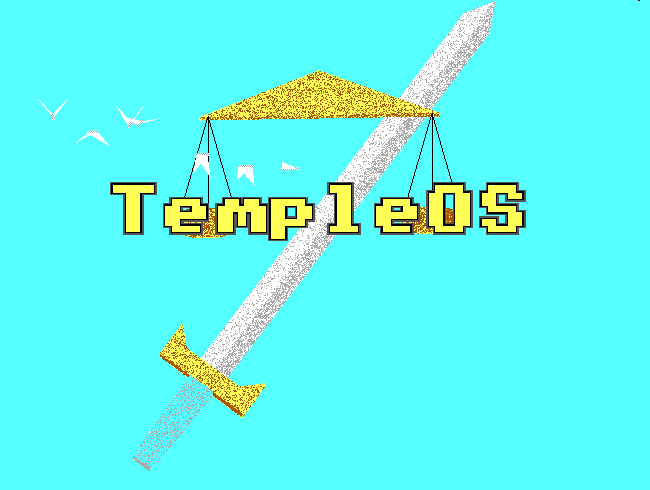
TempleOS — A Dead Man’s Passion Project
Terry A. Davis
Terry A. Davis built an operating system alone. Not a project. Not a prototype. A complete, working operating system — kernel, compiler, filesystem, IDE, graphics, games — every single line of it, by himself, over ten years.
He had no team. No funding. No institutional backing. Just a 640×480 screen, a language he invented called HolyC, and a belief — held with a certainty that was equal parts genius and illness — that God had asked him to build it.
That’s the part most people reach for first. The illness. The schizophrenia. The years of public deterioration that played out online in a way that was painful to watch and impossible to look away from. I’m not going to skip past it — it’s part of the story, and pretending otherwise would be dishonest to the man.
But here’s what actually stops me: the isolation. Ten years. One person. No pull requests, no Stack Overflow, no one to rubber duck debug with at 2am. Just Terry — and the OS growing, line by line, into something that genuinely shouldn’t exist.
He died in 2018. By then, TempleOS had become something people pointed at on forums — sometimes reverently, sometimes mockingly, rarely with the weight it deserved.
I perfectly remember watching Mission Impossible 6 — still one of my favourite films to this day. Somewhere in the rabbit hole that followed, I landed on a video explaining operating systems. That’s where I first heard the name TempleOS.
That was 2018.
Yesterday I actually booted it.
This blog is what happened after that — what TempleOS actually is, why it’s 16MB when your OS is measured in gigabytes, what HolyC feels like to write in, and why a dead man’s passion project running inside a QEMU window felt like one of the most interesting things I’ve done on a computer in a while.
The Engineering Marvel
Before I tell you what TempleOS looks like, I need to explain what it actually is — because those are two very different things.
Modern operating systems are built in layers. Applications run on top of the operating system, and beneath the operating system sits the kernel: the part that talks directly to the hardware. Those layers exist for a reason. They provide isolation. If an application crashes, the kernel survives. If a program misbehaves, it usually can’t take the entire machine down with it.
I didn’t learn this by reading documentation. I learned it by breaking TempleOS.
I was playing one of the built-in games, just exploring the system and seeing what was there. Then it crashed.
Not the game.
The entire virtual machine.
After some digging, I discovered why.
In TempleOS, everything runs in what’s called Ring 0 — the most privileged level of the CPU, where the kernel itself lives. There is no separation between user programs and the operating system. No safety barriers. No protected space. When you run a program in TempleOS, that program has the same authority as the OS itself.
A bug isn’t just a program crash.
It’s a system crash.
And that’s not a mistake. It’s one of TempleOS’s defining design decisions.
The result is an environment unlike any modern operating system. The kernel, compiler, editor, filesystem, graphics system, and applications aren’t separate pieces communicating through interfaces. They’re all part of the same thing.
Terry Davis didn’t build an operating system and then write software that ran on top of it.
He built a single, unified environment where the distinction between the OS and the programs running inside it almost disappears.
TempleOS has its own filesystem: RedSea. Its own compiler. Its own graphics system. Everything runs at 640×480 with 16 colors — constraints Terry chose deliberately and never abandoned. Not because he couldn’t build something larger or more complex, but because this was the machine he wanted to create.
God’s machine, as he described it, had a specific shape — and TempleOS was built to fit it.
What makes TempleOS remarkable isn’t any individual feature.
It’s the fact that it exists at all.
One person built an operating system, a compiler, a filesystem, an IDE, graphics libraries, games, and countless supporting tools. No external frameworks. No borrowed infrastructure. No dependencies.
Every layer was written by the same person who designed the layers beneath it.
That’s the engineering marvel. Not merely that it works — though it does — but that one person managed to build an entire computing world from the ground up.
QEMU Setup Walkthrough
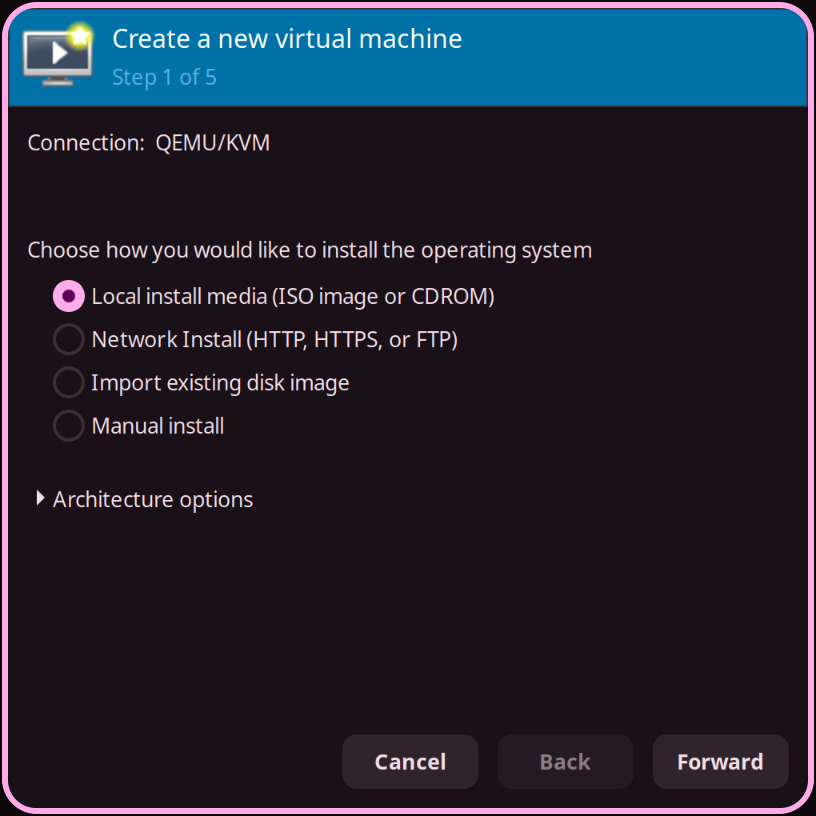
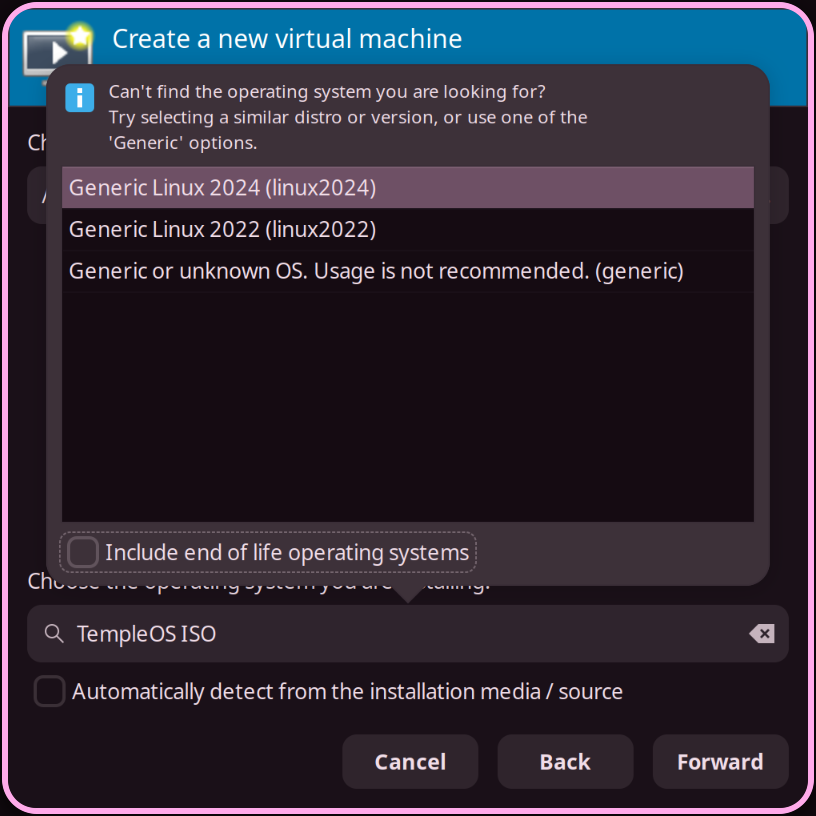
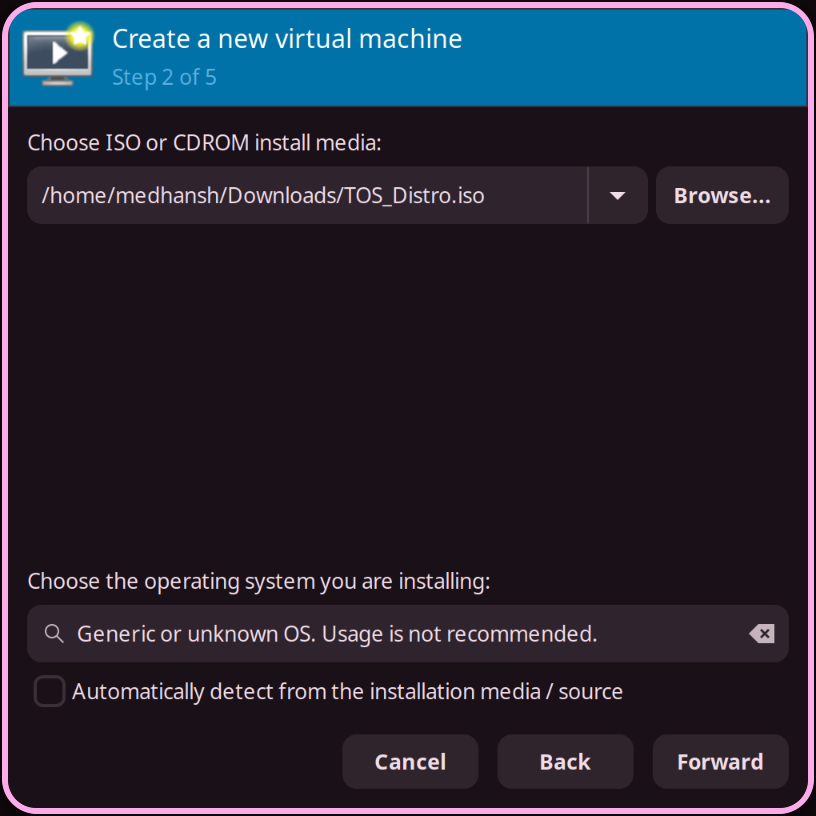
Getting TempleOS running is straightforward. Not easy — straightforward. There’s a difference.
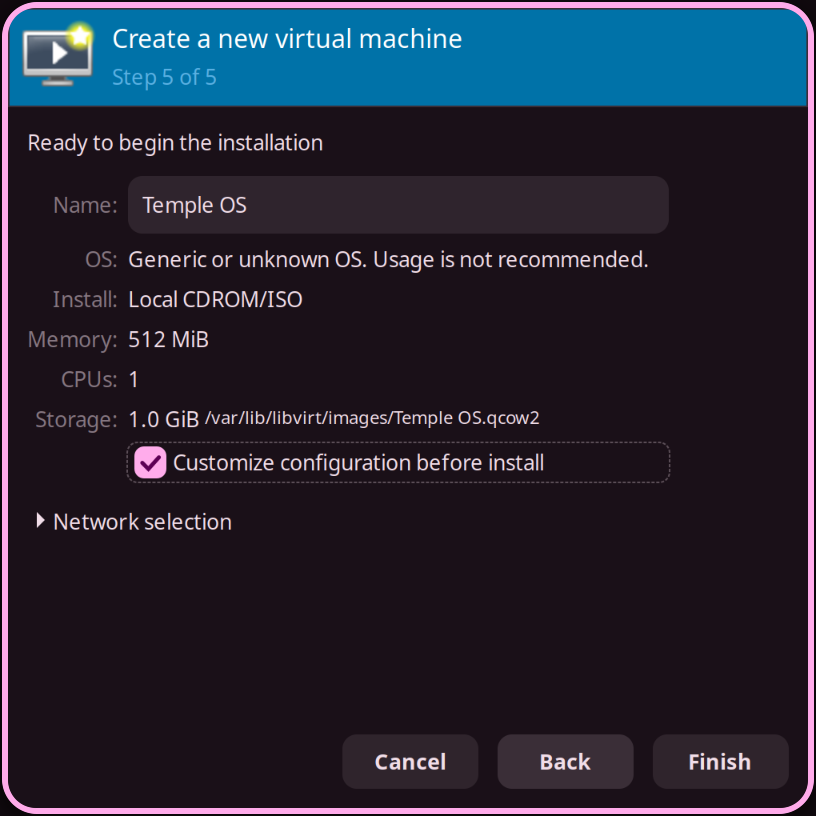
I’m on Arch Linux with KVM, using virt-manager. The ISO comes straight from the official TempleOS website — templeos.holyc.xyz. Download it, open virt-manager, create a new VM, point it at the ISO.
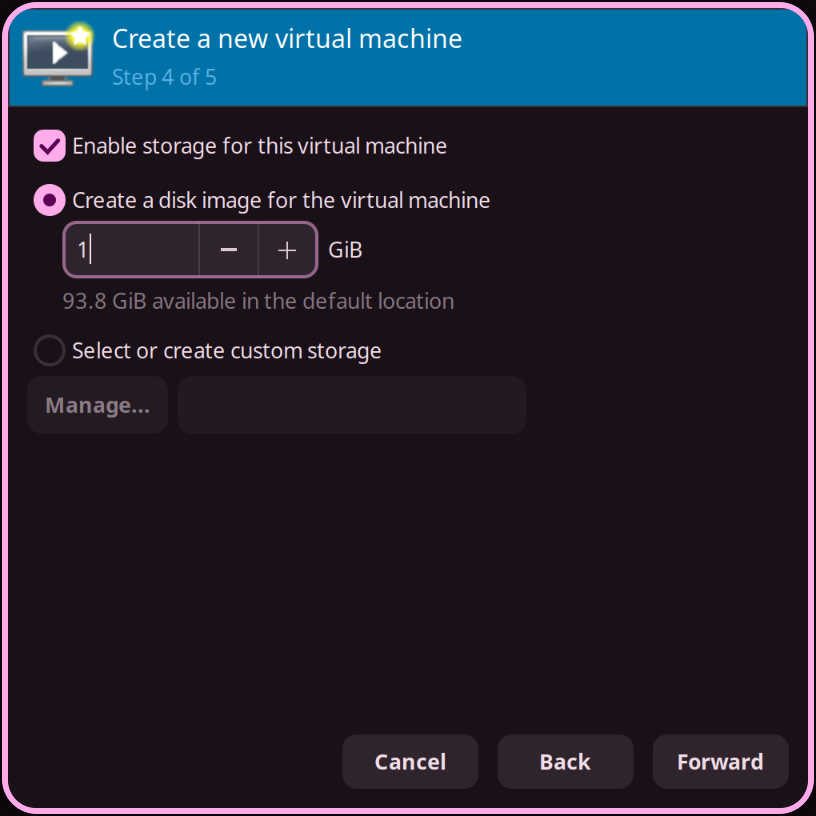
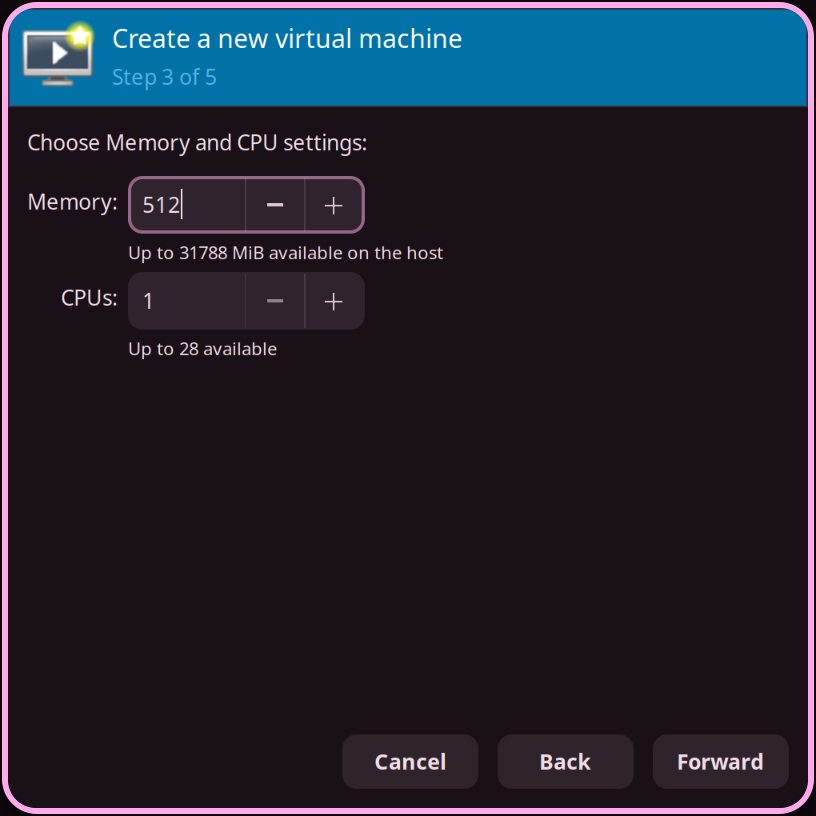
The specs I gave it:
RAM     → 512 MB
CPU     → 1 core
Storage → 1 GBThat’s it. That’s all it needs — and that’s already the first thing that should make you pause. 512MB of RAM. 1GB of storage. The OS that fits inside those constraints does everything I described in the previous section.
Before you boot, two things virt-manager will get wrong by default. First — firmware. I selected UEFI without thinking. Nothing loaded. Just a black screen sitting there, doing nothing. Then a half-remembered thought from a random class surfaced: UEFI is for newer operating systems. TempleOS needs BIOS. Switched it, and it came to life immediately.
Second — remove TPM from the hardware list. TempleOS has no idea what to do with it and it causes problems. Go into the VM hardware details before first boot and pull it out.
BIOS. No TPM. Then boot.
The installer will walk you through the setup. This is where it gets genuinely confusing — not because the process is complicated, but because the font rendering at 640×480 causes text to overlap. Characters bleed into each other. Lines stack in ways they shouldn’t. For the first few minutes I was reading a screen I couldn’t actually read.
Slow down. Give it a few minutes. Your eyes adjust and the structure underneath starts to make sense — it’s asking straightforward questions, the presentation is just hostile to first-timers.
Once you’re through the installer and into the system, TempleOS drops you into its shell. No desktop environment. No taskbar. No file manager waiting for you. Just a prompt, a blinking cursor, and Terry’s entire world accessible from it.
The whole thing took maybe fifteen minutes from ISO download to a working system. Most of that time was me staring at overlapping text trying to figure out what it was asking.
Here is my XML file, if you want to have a peek at it.
<domain type="kvm">
  <name>vm1</name>
  <uuid>9206e3ab-3df1-4e3a-ac5e-c6e0976f2b93</uuid>
  <memory unit="KiB">524288</memory>
  <currentMemory unit="KiB">524288</currentMemory>
  <vcpu placement="static">1</vcpu>
  <os>
    <type arch="x86_64" machine="pc-i440fx-11.0">hvm</type>
    <boot dev="hd"/>
  </os>
  <features>
    <acpi/>
    <apic/>
    <vmport state="off"/>
  </features>
  <cpu mode="host-passthrough" check="none" migratable="on"/>
  <clock offset="utc">
    <timer name="rtc" tickpolicy="catchup"/>
    <timer name="pit" tickpolicy="delay"/>
    <timer name="hpet" present="no"/>
  </clock>
  <on_poweroff>destroy</on_poweroff>
  <on_reboot>restart</on_reboot>
  <on_crash>destroy</on_crash>
  <pm>
    <suspend-to-mem enabled="no"/>
    <suspend-to-disk enabled="no"/>
  </pm>
  <devices>
    <emulator>/usr/bin/qemu-system-x86_64</emulator>
    <disk type="file" device="disk">
      <driver name="qemu" type="qcow2" discard="unmap"/>
      <source file="/var/lib/libvirt/images/vm1.qcow2"/>
      <target dev="hda" bus="ide"/>
      <address type="drive" controller="0" bus="0" target="0" unit="0"/>
    </disk>
    <disk type="file" device="cdrom">
      <driver name="qemu" type="raw"/>
      <target dev="hdb" bus="ide"/>
      <readonly/>
      <address type="drive" controller="0" bus="0" target="0" unit="1"/>
    </disk>
    <controller type="usb" index="0" model="ich9-ehci1">
      <address type="pci" domain="0x0000" bus="0x00" slot="0x05" function="0x7"/>
    </controller>
    <controller type="usb" index="0" model="ich9-uhci1">
      <master startport="0"/>
      <address type="pci" domain="0x0000" bus="0x00" slot="0x05" function="0x0" multifunction="on"/>
    </controller>
    <controller type="usb" index="0" model="ich9-uhci2">
      <master startport="2"/>
      <address type="pci" domain="0x0000" bus="0x00" slot="0x05" function="0x1"/>
    </controller>
    <controller type="usb" index="0" model="ich9-uhci3">
      <master startport="4"/>
      <address type="pci" domain="0x0000" bus="0x00" slot="0x05" function="0x2"/>
    </controller>
    <controller type="pci" index="0" model="pci-root"/>
    <controller type="ide" index="0">
      <address type="pci" domain="0x0000" bus="0x00" slot="0x01" function="0x1"/>
    </controller>
    <controller type="virtio-serial" index="0">
      <address type="pci" domain="0x0000" bus="0x00" slot="0x06" function="0x0"/>
    </controller>
    <interface type="network">
      <mac address="52:54:00:6e:28:75"/>
      <source network="default"/>
      <model type="e1000"/>
      <address type="pci" domain="0x0000" bus="0x00" slot="0x03" function="0x0"/>
    </interface>
    <serial type="pty">
      <target type="isa-serial" port="0">
        <model name="isa-serial"/>
      </target>
    </serial>
    <console type="pty">
      <target type="serial" port="0"/>
    </console>
    <channel type="spicevmc">
      <target type="virtio" name="com.redhat.spice.0"/>
      <address type="virtio-serial" controller="0" bus="0" port="1"/>
    </channel>
    <input type="tablet" bus="usb">
      <address type="usb" bus="0" port="1"/>
    </input>
    <input type="mouse" bus="ps2"/>
    <input type="keyboard" bus="ps2"/>
    <graphics type="spice" autoport="yes">
      <listen type="address"/>
      <image compression="off"/>
    </graphics>
    <sound model="ich6">
      <address type="pci" domain="0x0000" bus="0x00" slot="0x04" function="0x0"/>
    </sound>
    <audio id="1" type="spice"/>
    <video>
      <model type="vga" vram="16384" heads="1" primary="yes"/>
      <address type="pci" domain="0x0000" bus="0x00" slot="0x02" function="0x0"/>
    </video>
    <redirdev bus="usb" type="spicevmc">
      <address type="usb" bus="0" port="2"/>
    </redirdev>
    <redirdev bus="usb" type="spicevmc">
      <address type="usb" bus="0" port="3"/>
    </redirdev>
    <memballoon model="virtio">
      <address type="pci" domain="0x0000" bus="0x00" slot="0x07" function="0x0"/>
    </memballoon>
  </devices>
</domain>
The 16MB Question
By now you’ve probably noticed the ISO you downloaded is around 16MB. Not 16GB. 16 megabytes.
Here’s what the operating systems you actually use look like by comparison:
| Operating System | ISO Size | Type | What’s included |
|---|---|---|---|
| Windows 11 | ~5.8 GB | Desktop | Full OS + drivers + UI stack |
| Ubuntu 24.04 | ~5.9 GB | Desktop | Full OS + GNOME + apps |
| macOS Sequoia | ~15 GB | Desktop | Full OS + frameworks + apps |
| Fedora 41 | ~2.2 GB | Desktop | Full OS + GNOME |
| Debian 12 | ~700 MB | Minimal | Base system, no DE |
| Alpine Linux | ~130 MB | Minimal | Bare minimum, server-focused |
| TempleOS | ~16 MB | Complete | Kernel + compiler + IDE + games |
That last row is not a stripped-down server image. It’s not a rescue disk. It’s a complete operating system — with a compiler, an IDE, games, and a filesystem — sitting at 16MB while macOS needs nearly a thousand times that just to boot.
The answer isn’t that TempleOS is minimal. It’s that it has no excess.
Modern OSes are enormous because they carry decades of decisions — networking stacks, driver frameworks, compatibility layers for software written in a different era, UI toolkits, accessibility infrastructure, update systems, telemetry, sandboxing, security models built on top of older security models. Every abstraction that makes your life easier as a user or a developer adds weight.
TempleOS carries none of that. No networking — deliberately, not accidentally. No driver framework for hardware Terry didn’t care about. No compatibility with anything outside itself. The 640×480, 16-color constraint isn’t just aesthetic — it means the graphics system stays tiny because it never has to handle anything else.
Terry built exactly what he wanted to build. Nothing more.
That’s what 16MB actually means — not that it’s small, but that there is genuinely nothing in it that shouldn’t be there.
The TempleOS Experience
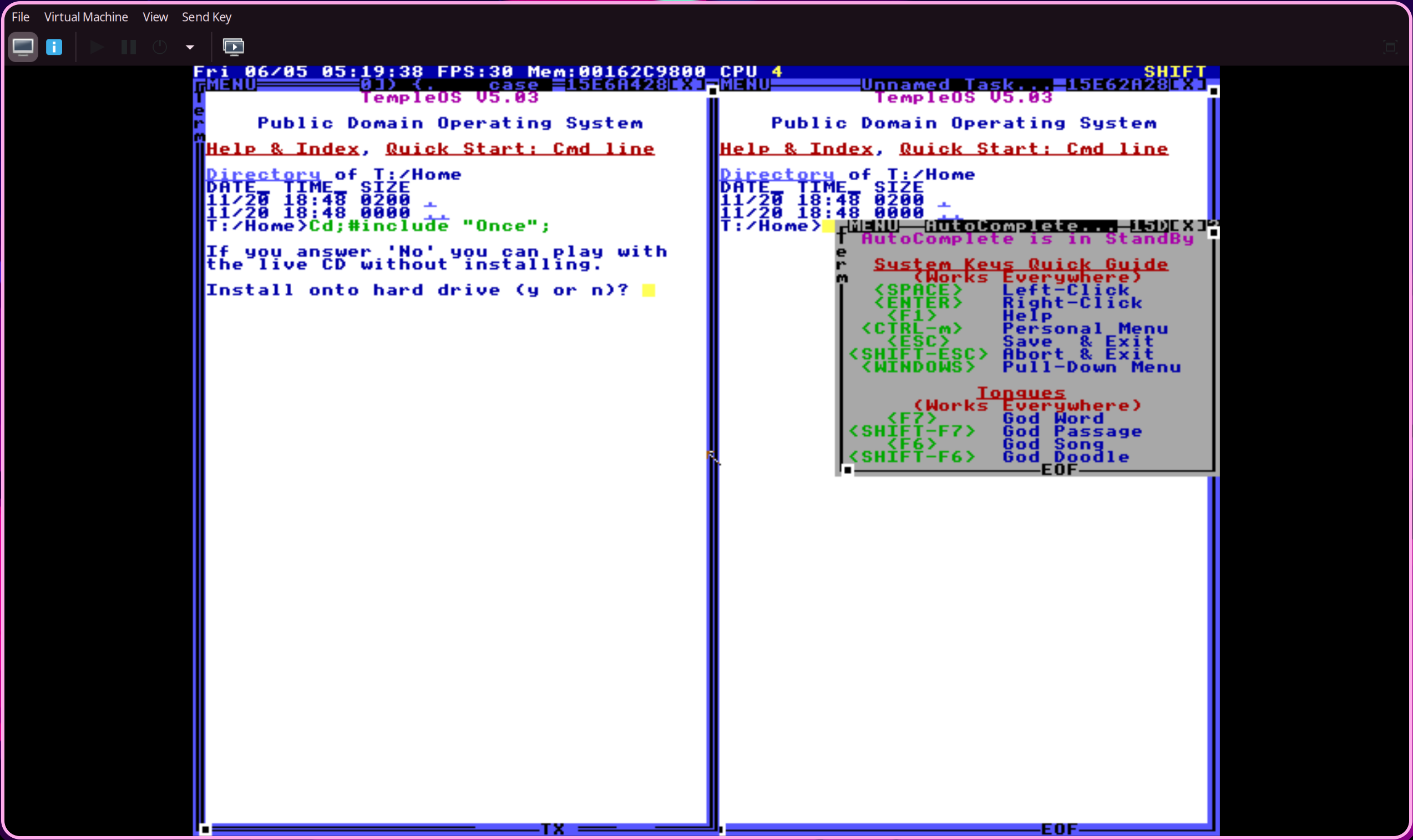
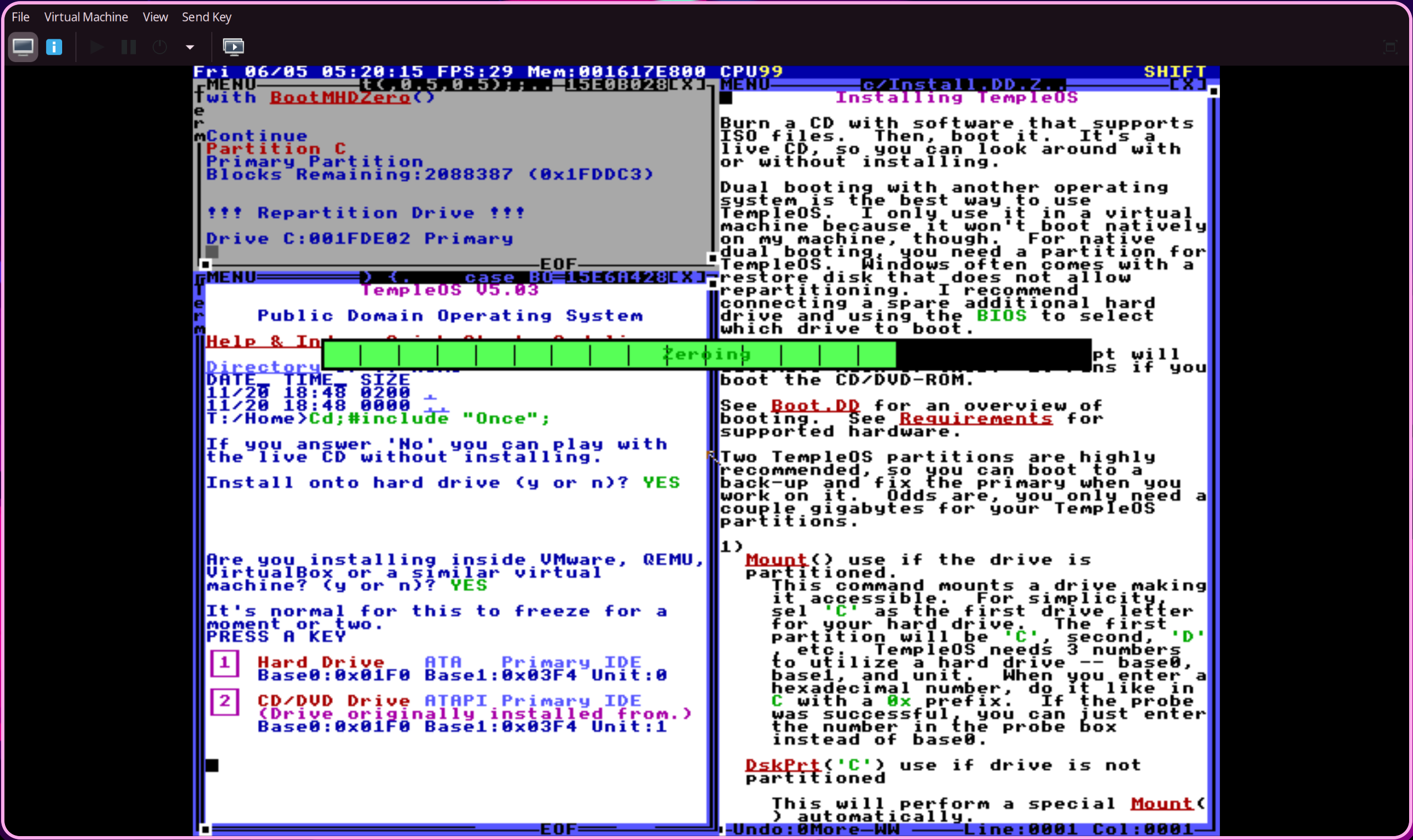
Once you’re past the installer, TempleOS drops you into its shell — and the first thing you notice is that it doesn’t feel like anything you’ve used before. Not Linux. Not DOS. Not Windows. Something else entirely.
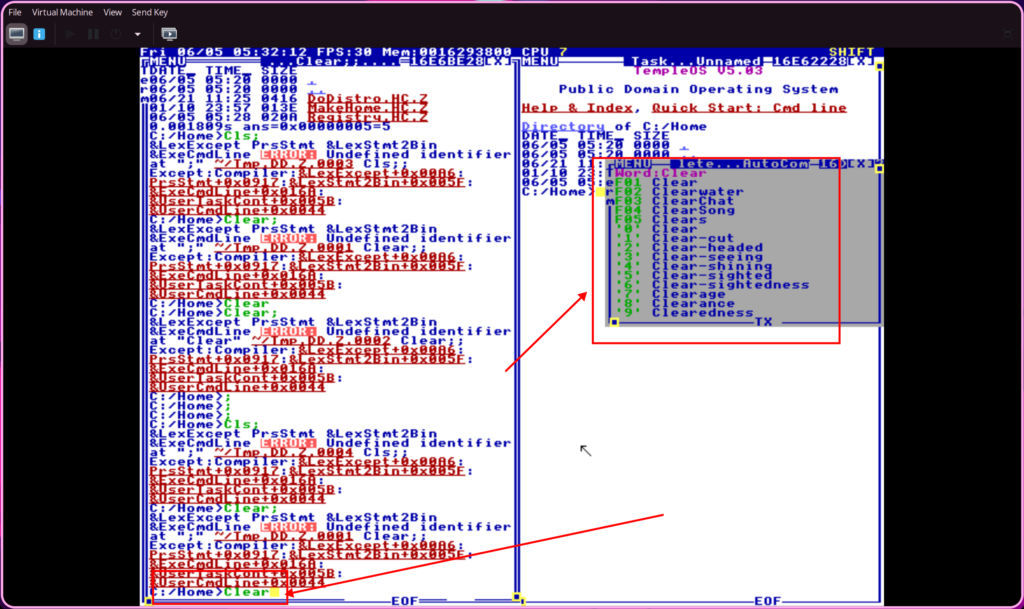
The commands are familiar in shape — Dir, Cd, MkCd, Ed, Find, Printf, Clear — close enough to C that if you’ve written any C or C++ you feel a faint recognition. Dir lists files. Ed opens the editor. Find searches. But everything is Pascal case. Every single command. And if you get it wrong, TempleOS tells you immediately — error messages, constant, unforgiving. I was fighting the shell for a while just because my muscle memory kept typing lowercase.
It’s a small thing. But it’s the kind of small thing that reminds you you’re somewhere genuinely foreign.
What actually surprised me — and I wasn’t expecting this — was the command prediction. Not like Zsh. Not the polished, plugin-driven autocomplete we’ve built entire ecosystems around. Simpler than that. But it was there — built into an OS that one person wrote from scratch, decades before shell autocompletion became something we take for granted. I wasn’t impressed because it matched modern standards. I was impressed because it existed at all.
Then I found the games.
This is where TempleOS stops feeling like a historical curiosity and starts feeling like something else — like a reminder of what computers used to be. Small, direct, immediate. You write something, it runs. No build system. No dependency manager. No three-step compile process. The game is just there, running, inside the same environment you were just typing commands in.
Every C or C++ developer has that moment — usually early on — where they want to build a 2D game. Something simple. Something that moves on screen and responds to input. The dream of it is always cleaner than the reality once you start pulling in libraries and setting up windows and managing state. In TempleOS, that gap barely exists. The friction between idea and running program is almost nothing.
I’m learning SFML right now — specifically to build that kind of thing. And sitting inside TempleOS, watching these games run, I understood for the first time what Terry had actually built. Not just an OS. A playground. The kind of computing environment where the distance between thought and execution is as small as it can possibly get.
That feeling doesn’t exist in modern systems. We’ve traded it for capability, and that’s probably the right trade. But it’s worth knowing what we gave up.
HolyC — A Deep-ish Dive
HolyC is the language Terry wrote for TempleOS. Not a scripting language bolted on top — the actual system language. The kernel is written in it. The compiler is written in it. And when you type into the TempleOS shell, you’re feeding directly into a JIT compiler that executes your code immediately.
That last part is what makes it strange coming from any modern workflow. There’s no save. No compile step. No linker. No executable. You type a statement, hit enter, it runs. Right there. The shell isn’t a shell in the way you’re used to — it’s a live programming environment where every line is a program.
I wrote some small things in it. Enough to actually feel the language rather than just read about it.
Starting with the obvious:
Hello World
U0 Main() {
  "Hello, World!\n";
}
Main;A string literal on its own line prints it — no Print() wrapper required. Main; calls the function without parentheses, which HolyC allows when there are no arguments. Small thing. Took me a minute.
Then arrays — which look familiar until they don’t:
Array Declaration + Traversal
I64 nums[5] = {10, 20, 30, 40, 50};
I64 i;
for (i = 0; i < 5; i++) {
  "%d\n", nums[i];
}
I64 is HolyC’s 64-bit integer — where you’d write long or int in C. The for loop is identical to C. The print line — "%d\n", nums[i]; — is where it diverges. No printf. Just the format string directly, followed by the argument. It runs. Immediately.
The table printer is where it actually gets interesting — taking two inputs and printing a multiplication table between them:
Table Printer
U0 TablePrint(I64 a, I64 b) {
  I64 i;
  for (i = 1; i <= b; i++) {
    "%d x %d = %d\n", a, i, a * i;
  }
}
TablePrint(5, 10);Pass two numbers. Get a table. The function definition, the loop, the format string — all of it compiled and executed the moment you hit enter on that last line.
Honestly? It was the second most annoying thing about TempleOS, right after the Pascal case commands. Not because HolyC is bad — the syntax is close enough to C that it’s readable almost immediately. But the execution model takes real adjustment. Every line is live. Every mistake is immediate. There’s no buffer between you and the compiler.
By the end I had a small experience I didn’t have before. Not mastery. Not even fluency. Just the feeling of having typed real code into a compiler that one person built — and having it run.
That’s more than most people who’ve heard of TempleOS can say.
Why It Matters
TempleOS is not a usable operating system. It has no networking. No modern hardware support. No path to the kind of software the world actually runs on. You boot it, explore it, and then you close the VM and go back to your real machine.
But that’s not actually the point.
What TempleOS does — what it actually does, if you sit with it long enough — is show you how deep the ideas go. A kernel is not magic. A compiler is not magic. A filesystem, a graphics system, an editor — none of it is magic. It’s just someone sitting down and building it, layer by layer, until it works. Terry showed that one person, alone, with enough time and enough refusal to stop, can build an entire computing world from nothing.
That’s the thing that stayed with me.
Not the crash. Not the Pascal case. Not the 16MB. Those are details. What stayed was the scope of what one person built — and the question it leaves behind: if he could do that, what’s the excuse for stopping?
I’m interested in systems. How they’re designed, how the ideas behind them actually work, what decisions sit underneath the abstractions we use every day. TempleOS is one of the most direct answers to those questions I’ve ever encountered — not because it’s a good system to use, but because there’s nowhere to hide inside it. Every decision Terry made is visible. Every layer he built is there to look at.
Sitting inside a VM running a dead man’s OS, watching code compile and execute instantly, I felt something I don’t feel very often — that specific kind of motivation that doesn’t come from a tutorial or a roadmap or a course. The kind that comes from seeing what’s actually possible when someone refuses to stop.
Terry Davis refused to stop for ten years.
I’m just getting started.
The Intuition
I’m the kind of person who always tries to get underneath things — to pull apart the abstraction and see what’s actually sitting below it. And I realised writing this blog that I never actually asked that question about Terry himself.
What was his intuition? Why TempleOS?
The honest answer is that it wasn’t an engineering intuition at all. Terry believed God told him to build it. The 640×480 resolution, the 16 colors, the single voice audio — not arbitrary constraints, not aesthetic choices. Instructions. He wasn’t solving a technical problem. He was fulfilling something he understood as a divine purpose, and the engineering was how he expressed it.
It goes deeper than that. TempleOS is genuinely soaked in scripture — the naming, the language, the structure of the system itself. I’m not a Christian, but one of my close friends is, and when I showed him some of what I was seeing inside TempleOS, he immediately recognized the words. They weren’t random. Terry wasn’t just building an OS and calling it holy — the Bible was actually in there, woven into the thing at a level that takes a moment to register when you first notice it.
That’s also where the name comes from. HolyC isn’t a clever pun. It’s exactly what Terry meant.
You can dismiss all of that. A lot of people do. But I think if you’re serious about understanding systems, you have to sit with the stranger truth — that one of the most technically remarkable solo software projects ever built wasn’t motivated by engineering ambition at all. It was motivated by belief. The intuition wasn’t rational. The result was real.
That’s the part that actually stays with me the longest.